Building “bulletproof” reliability
Published 2025-01-14
TL;DR
- Automate your (personal) operations where you can. Don’t rely on human memory or documents – commit it to code and source control.
- Always keep the resulting code up to date
- Do not customize configuration unless such customization is expected for everyone who uses the tool. (e.g., SREs need a particular k8s cli config)
- Rely exclusively on POSIX or tools you can test for (e.g., git) for maximum reliability.
Context
281 lines. All it took was 281 lines of code (329 if you include comments) to automate and make repeatable a process that originally took 1-2 days to complete each time it happened.
Provisioning and configuring your operating environment from a clean OS install is a very personal and custom experience for a person. You want to use your favorite tools, maybe set up your own custom keymaps (e.g., Capslock to Control), and make sure your favorite wallpaper or color scheme is available. Those parts are what make your experience “good” for you.
What the 281 lines of code did was not these things. The
code took the most tedious parts of a 5-page-long new-hire onboarding
document and automate the installation and configuration of required
tooling. The script checks for existing installations and configurations
and skips any work already done, so its execution is idempotent. It
bootstraps the install environment (e.g. installing brew),
installs required ancillary tools (like a kubernetes client
configurator, git, java, etc.), ensures all $COMPANY internal
configurations are present, and then starts executing additional package
installations by using app-URLs to launch and install things through
jamf and other managed platforms.
You still got to update your own tools, add your own aliases and shell scripts, but the basic bootstrapping needed for every SRE? “We took care of that for you.”
Time and Effort Saved
When a new-hire joined the team, they used the script. It ensured they had the “basics” already available when they were asked to do a particular task. When a veteran team member had a broken configuration and was unable to do work, the script restored their “good working” tokens and configurations within a minute.
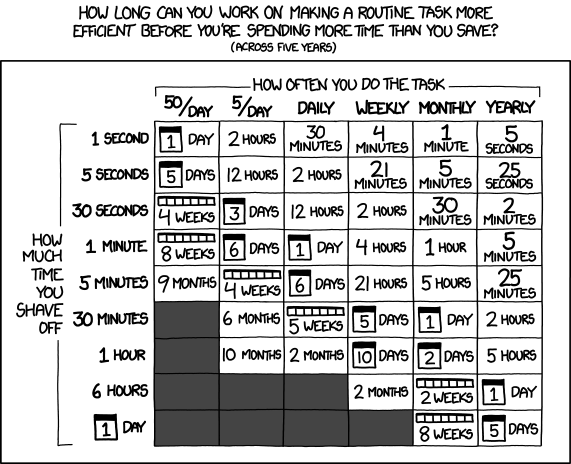
You might say that the time invested-and-saved is “worth it”, or you might say that having to keep any of these documents or code up to date is “not worth it,” and now you’re stuck maintaining something you could just do on-demand before.
The problem is, this whole dichotomy of “[not] worth it” is completely untrue. Every company, every team, every individual, must operate and maintain their working environment.
You might argue “no, that’s someone else’s job.” Fine, you’ve now externalized your needs. Doesn’t change the fact that someone has to maintain it.
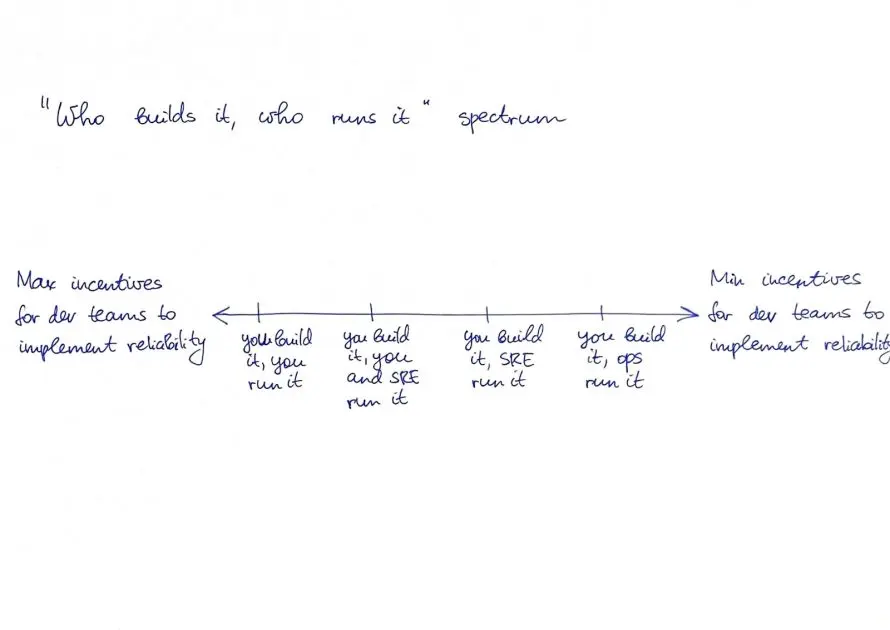
Maintenance
So if you have to maintain an environment, what’s the most reliable option?
You could scribble down a document explaining how to install every tool. You could make every new-member work directly with a veteran and let the knowledge transfer happen orally and organically. You could have documents for every operation include “tools required,” and leave it up to the executor to acquire them as-needed.
You could also write a $LANGUAGE program that digs deep and can provision your environment from nothing – where the code is in full control. The problems with this approach include:
- (Possibly) Learning a new-to-you language for implementation/bugfixes/etc.
- Bootstrapping the language on a new platform (see: Rust, Clang, JVMs…)
- Unique implementation details tied to language choice
- A powerful programming environment may require otherwise optional libraries or functions your initial environment may not have
I argue none of these options are good, correct, or appropriate. The right solution is a POSIX shell script, because it’s always there. You’ll never be without a POSIX environment on Unix/Linux or MacOS. (Windows hates file-based configuration – largely because they built APIs for mutation instead of file-oriented design.)
Writing a posix-exclusive shell script gets your environment and configuration set, regardless of how messed-up things might be.